
Owner dashboard
See how the business is doing and whether it is growing
Check the week, month, quarter or year at a glance. Then compare the same period last year to see where the business is gaining or losing ground.
Owner workflow
Know how the business is doing at a glance
Review the week, month or year, then compare the same period year over year using fictional records from the development build.
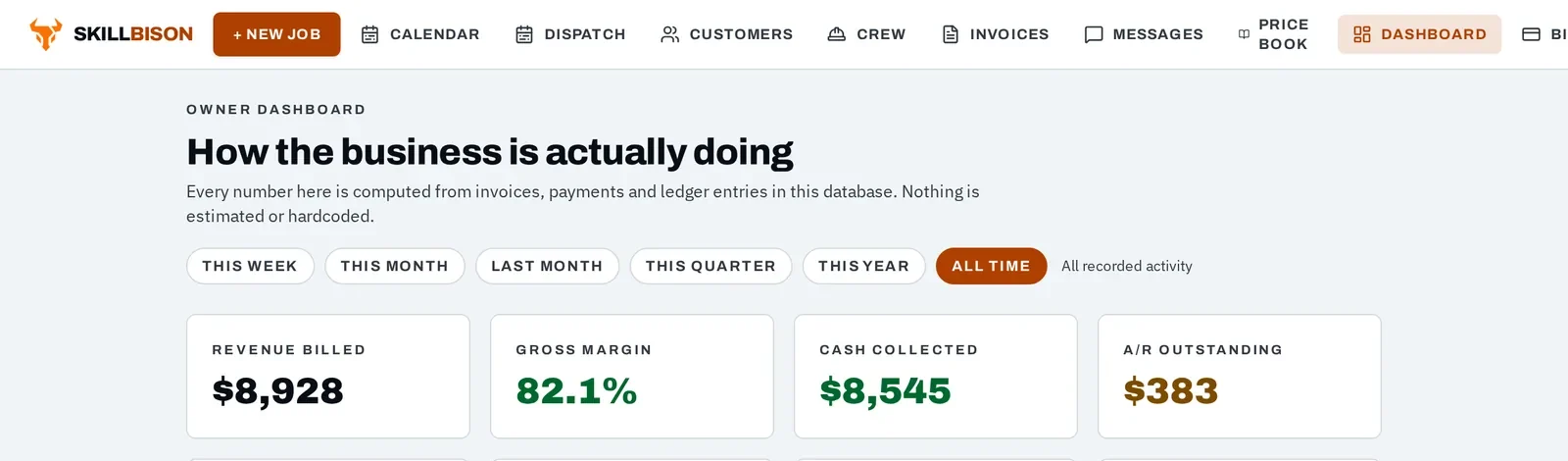
Demo screen · fictional data Step 1
See this week, month or year
Choose this week, this month, last month, this quarter or this year to see the business in the timeframe that matters right now.
- Check the current week without sorting through old activity.
- Step back to review the month, quarter or year.
- Keep every number tied to the same timeframe.
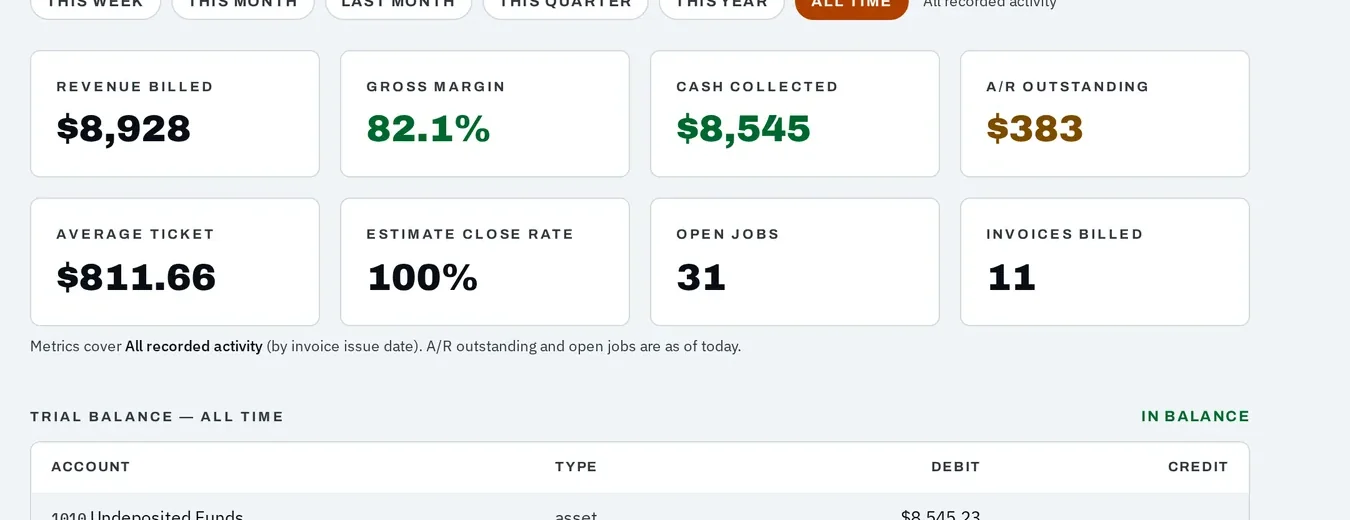
Demo screen · fictional data Step 2
See whether you are growing
Compare revenue, margin, cash, average ticket and invoice count with the prior period or the same period last year.
- See year-over-year gains or declines beside the current numbers.
- Know whether growth is coming from more work, larger tickets or stronger margins.
- Spot a negative trend early enough to act on it.
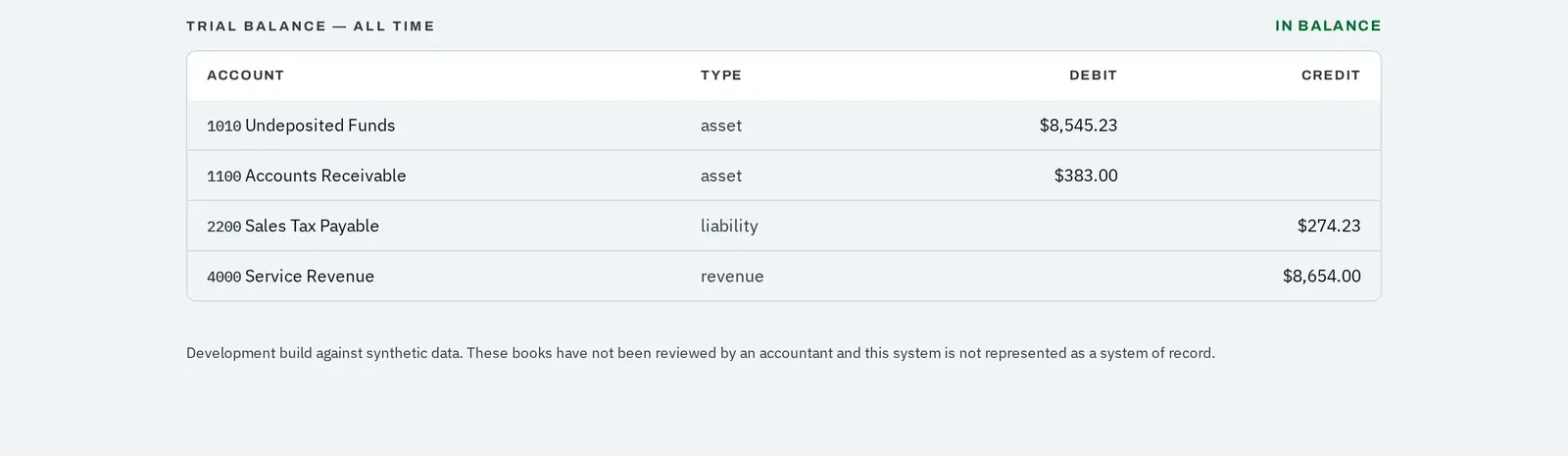
Demo screen · fictional data Step 3
Trust the numbers underneath
The trial balance sits beneath the operating view and shows the ledger balances supporting the dashboard.
- Trace the financial picture to the recorded books.
- Confirm debits and credits remain in balance.
- Make decisions from connected records instead of a separate spreadsheet.
SkillBison is a development build. Demonstrations run on fictional companies and customers, card payments run in test mode only, and it is not yet available for live business use.
Questions
Where do the dashboard numbers come from?
They are calculated from the fictional invoices, payments, jobs and ledger entries in the development build. They are not hardcoded marketing numbers.
Can I see whether the company is growing year over year?
Yes. Select this week, month, quarter or year, then compare it with the same period one year earlier. The dashboard shows the change in revenue, margin, cash collected, average ticket and invoice count.
Can a dispatcher see the owner dashboard?
No. The dashboard is restricted to owners and admins, and the database applies the same restriction.
See this part working
Half an hour on a screen share. We run one job from the phone call to the ledger entry.